 Skip to content


Refurbished Laser
Printers
Expect crisp, consistent prints and long-term performance from our refurbished laser printers. Whether for home, office, or high-volume use, these printers offer excellent value without compromising on speed or reliability.
Expect crisp, consistent prints and long-term performance from our refurbished laser printers. Whether for home, office, or high-volume use, these printers offer excellent value without compromising on speed or reliability.



Showing 33–48 of 126 resultsSorted by popularity




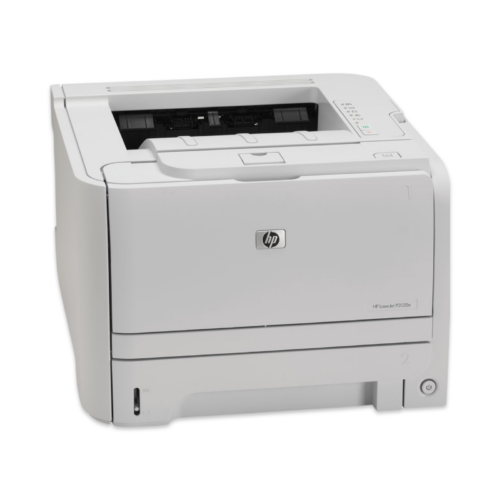


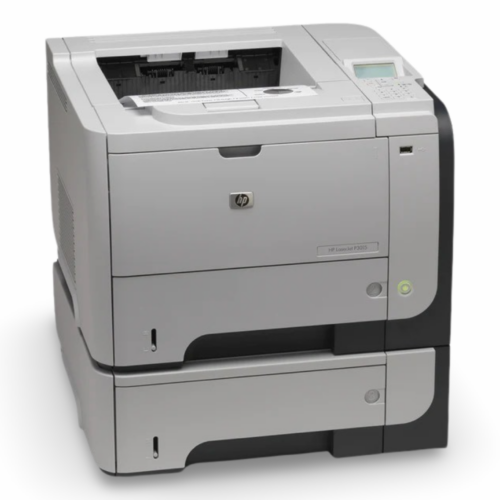
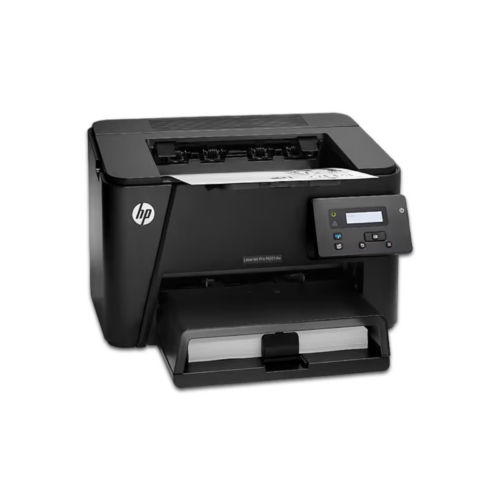
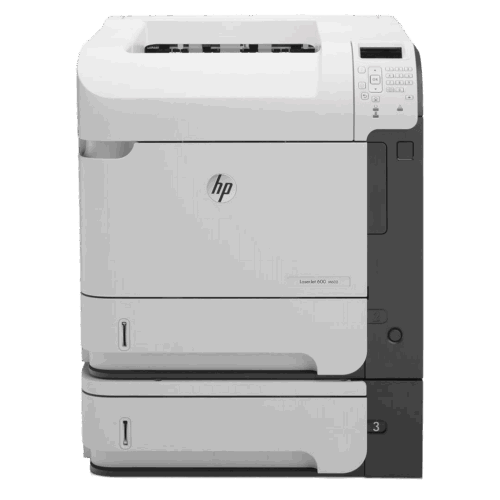
Refurbished Laser Printers: Professional Performance at Unbeatable Value
Transform your business printing with lightning-fast laser technology that delivers professional results in seconds, not minutes. Businesses using laser printers report 40% faster document processing and 60% lower printing costs compared to inkjet alternatives. Our premium collection of refurbished laser printers combines cutting-edge technology with smart financial savings. Discover why thousands of companies choose refurbished laser printers as their strategic advantage in today's competitive marketplace.
Why Choose Laser Printers
Speed That Transforms Your Business
The Problem: Inkjet printers kill productivity with 15-30 second delays, cleaning cycles, and speed drops during large jobs. Your team wastes hours weekly waiting for documents while competitors deliver faster.
The Solution: Laser printers deliver instant results - 6-10 seconds to first page, no warm-up delays, consistent speeds throughout massive print runs. One network laser printer serves 10-20 users simultaneously without bottlenecks, transforming deadline pressure into competitive advantage.
Your Documents Are Your Brand - Make Them Count
The Problem: Blurry inkjet text and inconsistent quality make your business look amateur. Clients judge your competence within seconds of seeing your documents, and poor print quality costs you deals.
The Solution: Laser-sharp text with uniform thickness and precise edges instantly signals professionalism. Your proposals, contracts, and financial documents command respect and trust, turning print quality into a competitive differentiator that influences business decisions.
End the Maintenance Nightmare Forever
The Problem: Inkjet printers fail when you need them most - dried cartridges, clogged heads, and constant maintenance disrupting critical workflows and draining budgets.
The Solution: Laser printers eliminate these headaches with sealed toner systems that never dry out, fewer moving parts for superior reliability, and cartridges that last months in storage. Predictable costs, minimal downtime, maximum peace of mind.
Laser Printer Applications & Use Cases: Where Excellence Meets Opportunity
Corporate & Enterprise Environments
Mission-critical document production demands speed and reliability. Laser printers excel at high-volume annual reports, legal contracts requiring archival quality, financial statements needing absolute accuracy, HR documentation for large employee populations, and last-minute meeting materials that maintain professional standards throughout extended print runs.
Educational Institutions
Schools and universities require cost-effective, reliable printing for student handouts, administrative records, research papers, and library services. Laser printers deliver consistent quality while minimizing per-page costs critical for education budgets, with self-service stations operating continuously without frequent maintenance.
Healthcare Facilities
Medical environments demand perfect legibility for patient records, prescription printing that prevents medication errors, insurance forms requiring long-term durability, compliance documentation meeting regulatory standards, and HIPAA-compliant secure printing that protects patient privacy through advanced authentication features.
Legal & Professional Services
Law firms require impeccable document quality for contracts, case files, client correspondence, regulatory filings, and time-sensitive court documents. Laser printing ensures professional presentation that conveys competence while meeting strict formatting requirements and urgent deadlines.
Small Business & SOHO Applications
Entrepreneurs benefit from professional invoices that improve payment rates, marketing materials competing with larger organizations, customer communications building trust and credibility, durable shipping labels and inventory reports, and business correspondence establishing professional reputation.
Government & Public Sector Applications
Government agencies require reliable printing for citizen forms ensuring clear understanding, public notices and announcements, internal administrative documents, voter information materials demanding absolute clarity, and compliance reporting meeting oversight requirements while maintaining professional standards.
Why Choosing Refurbished Laser Printers is Beneficial
- Financial Benefits: Refurbished laser printers deliver 40-70% cost savings compared to new equipment. Lower initial costs provide faster ROI within 6-12 months versus 18-24 months for new equipment.
- Performance Reliability: Refurbished laser printers often outperform new equipment because they've passed the critical 90-day break-in period when most failures occur. Professional refurbishment includes updated firmware, comprehensive testing that exceeds new equipment quality control.
- Environmental Impact: Each refurbished printer diverts 25-50 pounds of e-waste from landfills while eliminating 70-80% of the carbon footprint associated with new equipment production. This measurable environmental impact supports sustainability reporting and corporate responsibility goals.
- Eliminated Delays: Refurbished printers ship within 24-48 hours, eliminating supply chain delays that can stretch weeks or months for new equipment. Established refurbishment companies maintain extensive service networks and parts inventories, often providing faster response times than manufacturer warranty service.
- Comprehensive Testing & Quality Assurance: Professional refurbishment processes include extensive quality control that exceeds new equipment standards. Every function is verified, print quality is optimized, and performance is validated through rigorous testing procedures, ensuring reliable operation from day one.
White Spider Electronics Refurbishment Process
At White Spider Electronics, every HP printer undergoes our comprehensive 7-stage refurbishment process, ensuring you receive equipment that meets or exceeds original factory standards.
- Initial Assessment & Inventory: Each printer receives a detailed condition evaluation, documenting all components and identifying any wear or damage that requires attention during the restoration process.
- Complete Disassembly & Deep Cleaning: Printers are carefully disassembled to access internal components. Professional-grade cleaning removes dust, toner residue, and debris that can affect print quality and mechanical performance.
- Component Testing & Replacement: Critical parts including print heads, rollers, fusers, and sensors undergo precision testing. Any component not meeting our strict performance criteria is replaced with genuine HP parts or high-quality equivalents.
- Mechanical Calibration: Print mechanisms are recalibrated to factory specifications, ensuring optimal paper handling, print alignment, and color accuracy across all printing modes.
- Comprehensive Performance Testing: Each printer completes extensive test cycles including print quality assessments, connectivity verification, and stress testing to validate reliability under real-world conditions.
- Cosmetic Restoration: External surfaces are professionally cleaned and refurbished to remove scratches and scuffs, delivering equipment that looks as good as it performs.
- Final Quality Assurance & Certification: Every printer receives final inspection and certification before packaging, backed by our warranty and satisfaction guarantee for complete customer confidence.
How to Choose the Right Laser Printer for Your Needs
Volume Assessment: Match Your Printer to Your Workload
Track your printing for 2-3 months to establish baseline requirements, including peak periods and seasonal variations. Select printers with duty cycles 2-3 times your average volume to ensure reliable performance and longevity. Consider business growth projections to prevent premature replacement as your needs expand.
Essential Features That Drive Success
Connectivity: Ethernet for network sharing, Wi-Fi for flexible placement, USB for secure direct printing of sensitive documents.
Security: User authentication, secure print release, data encryption, and firmware validation protect sensitive information and meet compliance requirements.
Paper Handling: Multiple trays for automatic paper selection, duplex printing for efficiency, and finishing options like stapling and hole punching eliminate manual post-processing.
Smart Planning: Space, Integration & Budget
Consider physical footprint including clearance for maintenance, network infrastructure compatibility, and user workflow patterns for optimal placement. Balance initial costs against long-term operating expenses—calculate total cost of ownership including toner yields, energy consumption, and maintenance requirements to make informed financial decisions.
Ready to Transform Your Printing Experience?
Don't let outdated printing technology limit your business potential. Our team of printing specialists is ready to help you discover the perfect refurbished laser printer that matches your exact requirements while delivering exceptional value and performance.
Frequently Asked Questions
Q: How long do refurbished laser printers last compared to new ones? A: Refurbished laser printers typically last 5-7 years with proper maintenance - often outlasting new units because they've passed the initial break-in period where most defects occur.
Q: How do laser printers handle different paper types and weights? A: Modern laser printers handle 16-32 lb paper through adjustable guides and fuser temperature controls. Multiple trays enable automatic paper selection, while manual feed options accommodate specialty media like cardstock, labels, and transparencies up to 110 lb weight.
Q: Can laser printers handle cardstock and specialty media? A: Yes, most business laser printers accommodate cardstock up to 90-110 lb through manual feed trays with adjustable guides. Always consult printer specifications and use proper settings to prevent damage with specialty media.
Q: What security features do modern laser printers offer? A: User authentication, secure print release, data encryption, network firewalls, and access controls. Advanced models include hard drive encryption, secure erase functions, and firmware validation with regular security updates.
Q: How do I set up network printing for multiple users? A: Connect via Ethernet or Wi-Fi, configure network settings through the printer interface, install drivers on user computers, and set up print queues with appropriate permissions. Modern printers support automatic driver installation and mobile printing.