 Skip to content


4 Signs Your Toner Cartridge Is Low or Empty
No matter the evolution and increased usage of digital software for jobs and lives at home, printing maintains a high demand for daily use. Having a multi-functional printer ready to deliver is important for documents, school essays, and graphic designs for an important event. But when things don’t go your way, it’s important to know why and how to fix these problems as soon as possible. From smeared text to faded colors and printed blanks, there are common signs of your printer lacking toner that can be swiftly alleviated once you pick up on the signs.
White Spider Electronics in Lincoln, Nebraska, is here to give the four signs to look for when your printer toner cartridge is low or empty. A quick fix on your toner is often needed to get printing back to normal. Of course, the age of your printer will also play a factor along with these signs. Check out our modern and refurbished printers today!
[bs_row class=”row”][bs_col class=”col-sm-6″]

[/bs_col][bs_col class=”col-sm-6″]
Low-Quality Prints
When your word text or pictures start to look faded and smeared, it often is because of a low amount of printer toner. While this often can be fixed in no time with a refill or purchase of new toner cartridges, it’s important to look into what printer you currently use. Unfortunately, some printers advertise low prices without informing the customer that it’s compensated through underperforming ink preservation and usage. The refurbished printers at White Spider Electronics are designed with quality prints and toner usage in mind. If you have any questions about these machines and their specs, call us today!
[/bs_col][/bs_row][bs_row class=”row”][bs_col class=”col-sm-6″]

[/bs_col][bs_col class=”col-sm-6″]
Blank Prints
A blank print can mean a few different things. The first thing you’ll want to check is the actual printing command you did from your device. Sometimes the format or previous printing settings were not made for the printing paper size or styling you have. But even with that, you’ll most likely get a portion of the printed material to still show up. If the print is blank, make sure that it wasn’t just a test run (your device or printer will often let you know); if you get a second round of blanks after checking these, it’s most likely that you are out of printer toner.
[/bs_col][/bs_row][bs_row class=”row”][bs_col class=”col-sm-6″]
[/bs_col][bs_col class=”col-sm-6″]
Error Messages
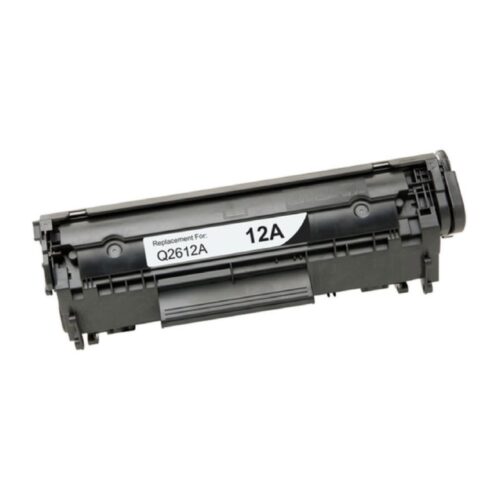
The bluntest and most direct way to know about your printer toner. An error message from modern printers will often let you know the quick and easy swap you can do to alleviate your current problem. If, by rare circumstances, you’re getting an error message relating to your toner and a new product swap doesn’t alleviate it, contact us immediately, and we’ll help you solve the problem.
[/bs_col][/bs_row][bs_row class=”row”][bs_col class=”col-sm-6″]

[/bs_col][bs_col class=”col-sm-6″]
Software Check
Modern printers are great at taking all kinds of requests and making physical copies out of them. To stay updated on the ever evolving digital market, it’s important to keep your software updated on your multi-functional printers. Thankfully, gone are the days where you buy physical discs to update your software, as it’s all mainly done through modern computers to keep your printer up to speed. Our refurbished printers have the latest updates to keep up with the most modern devices. If you still have a slightly filled toner cartridge and a software check is all that is needed, give us a call today, and we’ll assist you in getting what you need.
[/bs_col][/bs_row]
White Spider Electronics pushes the agenda on making sure that your printer and all of its parts are working in sync with each other for optimum performance. From an easy swap in printer toner to a much-needed software update or multi-functional printer upgrade, we offer many viable solutions for all your printing needs. Order your toner refills online today!